
Commission journal & posting
The app creates a commission ledger entry when a commission journal line posts. There is one posting path into the ledger. Document-driven commission (calculated automatically as sales post) and manual entries both go through this same gateway. The gateway assigns the entry number, sets the initial status, and writes the audit breakdown.
Usually you do not touch the journal directly. The engine builds and posts lines for you as documents post. Use the journal for manual commission and for adjustments.
Commission Journal
Open search → Commission Journal. Select the Batch Name, then enter lines:
| Field | Purpose |
|---|---|
| Posting Date | When the entry posts. |
| Document Type / Entry Type | The kind of entry (for example, a manual entry or an adjustment). |
| Salesperson Code | The agent who earns the commission. |
| Customer No. / Item No. | Source context. |
| Plan Code | The plan the entry belongs to. |
| Commission Amount | The amount (a delta for an adjustment). |
| Commission Trigger | On Posting / On Payment / On Shipment. |
| Source Document No. / Source Document Line No. | Source references. |
| Source Ledger Entry No. | Connects an adjustment to the entry it corrects. |
| Reason Code | Required for an adjustment — the reason why. |
Post
Choose Post to check and post the batch through the single gateway. The app checks each line, then posts it. A valid line posts even when the app skips a different line. A message names each skipped line and the reason. Posting is transactional — the app does not write a partial result.
Commission Journal Batches (search → Commission Journal Batches) manages the batches. Edit Journal opens the worksheet for a batch.
Where journal lines come from
- Automatic — the engine builds lines from posted sales documents and posts them in the same transaction. You do not see them in the journal. They go directly to the ledger.
- Adjustments — the Adjust Entry action on a ledger entry prepares a delta line here. You complete it and post it. See Ledger & audit.
- Manual — you can enter a manual commission line directly when necessary.
Append-only. An adjustment or a reversal does not edit an existing entry. It posts a new offsetting or delta entry. The original entry stays unchanged for the audit.
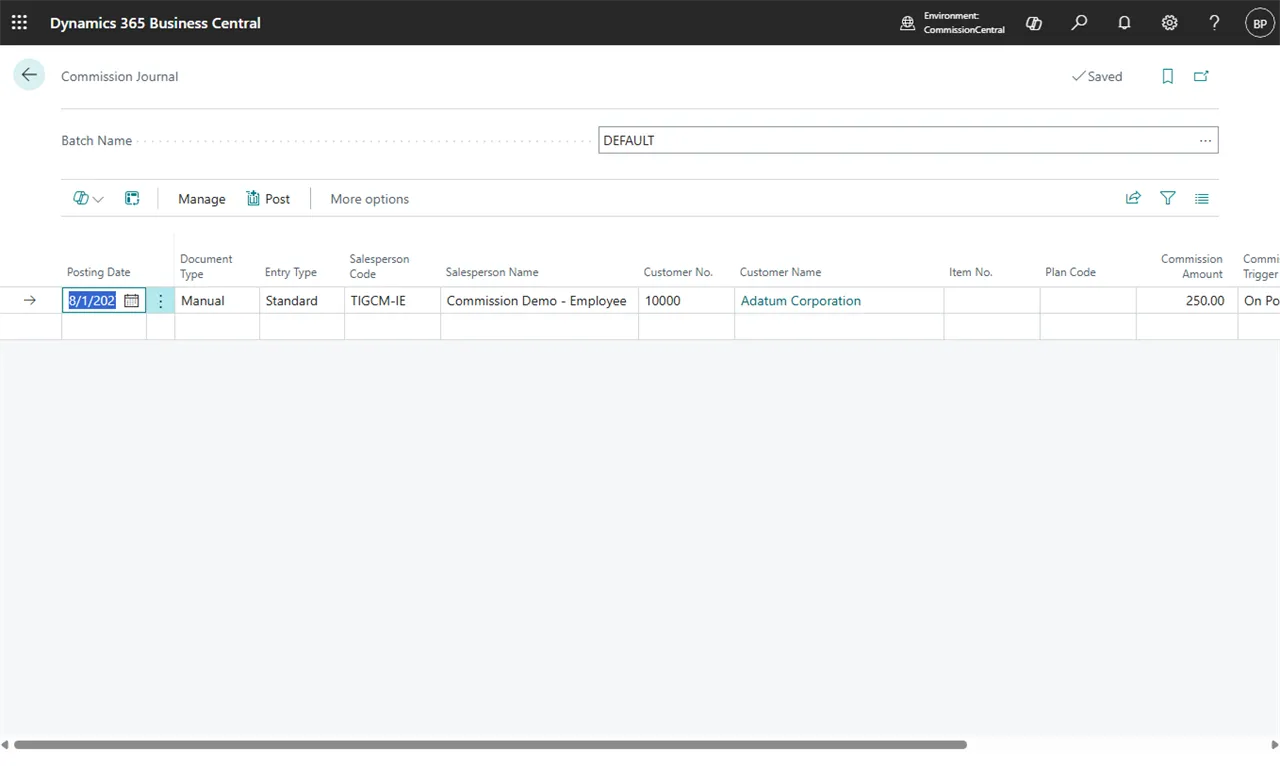 Figure: the Commission Journal worksheet.